Lead Generation / Venue Marketing
Wedding Venue Analytics: Track Marketing to Booked Tours
A venue owner can know exactly how many people visited the website last month and still have no idea which campaign booked the Saturday tour. That is the analytics trap. The dashboard looks full, but the sales team is still piecing together screenshots, email threads, ad reports, spreadsheet notes, and half-remembered phone calls.
Wedding venue analytics should answer a more useful question: which sources create qualified inquiries that become tours, proposals, and booked events?
That sounds simple until you look at how most venues track marketing. Google Analytics sits in one tab. Meta Ads sits in another. Google Business Profile has its own numbers. Directory leads arrive by email. Instagram DMs live on someone's phone. The CRM, if there is one, may show lead names but not source quality. By the time the owner asks what produced revenue, the trail is already messy.
This guide gives venue owners a practical tracking system. It is built for wedding and event venues that need better decisions, not prettier reports.
Start with the booking path, not the dashboard
The first mistake is starting with every metric a platform offers. Website users, engagement rate, impressions, clicks, profile views, reach, cost per click, and form fills can all be useful in context. They can also bury the number that matters.
For a venue, the path usually looks like this:
- Someone finds the venue through search, ads, social, a directory, a vendor, or a referral.
- They visit a page, profile, or listing.
- They inquire, call, message, or book a tour.
- Your team responds.
- The lead becomes qualified or unqualified.
- A tour is booked.
- The tour happens.
- A proposal goes out.
- The event books or is lost.
Analytics should follow that path. If a metric does not help you understand one of those steps, it belongs in the background.
A source with cheap leads can be expensive if the leads do not answer, cannot afford the venue, or never show up for tours. A source with a higher cost per inquiry can be profitable if it creates better-fit tours and larger booked events. That is why wedding venue marketing ROI should be measured against booked revenue, not just lead volume.
The venue analytics scorecard that actually helps
A useful wedding venue analytics scorecard can fit on one page. It should tell the owner what happened this week and what needs attention before next week.
Track these fields by source:
- Inquiries received.
- Qualified inquiries.
- Average response time.
- Tours booked.
- Tours attended.
- Proposals sent.
- Events booked.
- Booked revenue.
- Cost per qualified inquiry.
- Cost per booked tour.
- Cost per booked event.
- Lost reason.
The source column matters. Use plain names your team understands, such as Google organic, Google Ads, Meta Ads, Instagram organic, The Knot, WeddingWire, vendor referral, direct website, email, and past-client referral.
Then review quality. If Meta produced 40 inquiries and only 3 tours, while Google organic produced 8 inquiries and 5 tours, the winner is not obvious from lead volume alone. You need inquiry quality, tour conversion, and booked revenue in the same view.
This is where CRM tracking becomes more than administration. The CRM should tell you where each inquiry came from, how fast someone responded, what stage the lead reached, and why the event was won or lost. Without that, analytics stops at the form submission and leaves the most expensive part of the sale invisible.
Set up website events around real venue actions
Google Analytics can track more than page views. Google explains that an event measures a specific interaction or occurrence on a website or app, such as loading a page, clicking a link, or completing a purchase (Google Analytics Help). For a venue website, the useful events are the actions that show buying intent.
Start with these:
- Inquiry form started.
- Inquiry form submitted.
- Tour button clicked.
- Calendar booking started.
- Phone number clicked.
- Email link clicked.
- Pricing or packages page viewed.
- Gallery viewed.
- Directions clicked.
- PDF or brochure downloaded.
Do not mark every click as equally important. Google also explains that a key event is an event that measures an action important to the success of the business, and that any collected event can become a key event once it is identified and marked (Google Analytics Help). For most venues, the key events are inquiry submissions, tour booking actions, phone calls, and maybe brochure downloads if those downloads are strongly tied to qualified leads.
This keeps the report honest. A gallery view is useful context. A tour request is a stronger signal. A booked tour in the CRM is stronger still.
If your website is being rebuilt or cleaned up, this tracking plan should be part of the brief from day one. A pretty website that cannot tell you which page created tours is only doing half the job. VenueFlow's web design and SEO service is built around that conversion path, not just the visual layer.
Use UTMs so campaigns do not blur together
A common venue analytics problem is source confusion. Someone launches a bridal show email, a vendor referral campaign, two Meta ad sets, an Instagram bio link, and a directory promotion. A month later, half the leads show up as direct, referral, social, or unknown.
UTM links fix part of that. Google says adding UTM campaign parameters to destination URLs lets you see which campaigns refer traffic, and the values appear in Analytics traffic acquisition reports (Google Analytics Help). That means each campaign link should carry a consistent source, medium, and campaign name.
Use simple naming:
utm_source=instagramutm_medium=organic_socialutm_campaign=spring_2026_toursutm_content=reel_ballroom_setup
For paid search, use Google Ads auto-tagging where appropriate. For Meta, use a consistent naming pattern for campaign, ad set, and creative. For email, tag every campaign link. For vendor partners, give each partner a tagged URL. For QR codes at open houses or bridal shows, tag the landing page.
The rule is simple: if you pay for it, promote it, or ask a partner to share it, tag it. Otherwise, the venue will end up debating which campaign worked instead of knowing.
Connect analytics to lead response time
Fast response is not just a sales preference. It changes the economics of every channel.
Harvard Business Review reported that firms contacting potential customers within an hour of receiving a query were nearly seven times as likely to qualify the lead as firms that waited even an hour later, and more than 60 times as likely as companies that waited 24 hours or longer (Harvard Business Review). Wedding venues feel this pressure because couples often contact several venues in one planning session.
That means every source report should include response time. If a channel looks weak, ask two questions before cutting it:
- Were the inquiries actually poor quality?
- Or did the team respond too late?
The answer changes the fix. Poor-fit inquiries may need better targeting, stronger landing-page copy, or different offers. Slow response needs process, staffing, or automation.
This is why human-led follow-up belongs inside the analytics conversation. If your venue receives evening and weekend inquiries but your team replies the next business day, the report will make some channels look worse than they really are. Instant first response, qualification questions, and tour scheduling can protect good leads before they go cold.
Measure local search beyond profile views
Google Business Profile data can make venues feel busy. Calls, direction requests, website clicks, photo views, and searches are all useful. They are not the finish line.
Google's local ranking guidance says local results are mainly based on relevance, distance, and popularity, and it also says complete and accurate business information helps customers know what you do, where you are, and when they can visit (Google Business Profile Help). For venues, that means local analytics should connect visibility to the actual booking path.
Review these weekly:
- Which search terms produced profile views.
- Which actions came from the profile, such as calls, website clicks, or direction requests.
- Which landing page the profile sends people to.
- Whether those visitors become inquiries.
- Whether those inquiries become qualified tours.
A venue may get strong map visibility but weak inquiry quality if the profile sends everyone to a generic homepage. Another venue may get fewer clicks but better tours because the profile links to a page with capacity, event types, photos, parking, pricing guidance, and a clear tour CTA.
Local SEO and analytics should work together. The article on wedding venue SEO covers ranking mechanics. This scorecard shows whether that visibility is turning into booked conversations.
Build a weekly source review your team will use
The best analytics system is not the one with the most charts. It is the one the team actually reviews.
Set a 30-minute weekly meeting. Pull the same report every time. Look at the last 7 days and the trailing 30 days. Keep the agenda tight:
- Which sources produced qualified inquiries?
- Which sources booked tours?
- Which tours were missed, cancelled, or no-showed?
- Which leads have had no response or no next step?
- Which source produced the best booked revenue?
- Which campaign or page needs a fix this week?
This rhythm turns analytics into operations. The marketing team can see which campaign needs better targeting. The sales team can see which leads need follow-up. The owner can see whether budget should move, stay, or pause.
It also prevents a common venue mistake: waiting until month-end to notice a problem. If response time slipped last weekend, fix it now. If one campaign is producing low-budget inquiries, adjust the audience or offer now. If a pricing page is getting traffic but no inquiries, update the page now.
If you already have a wedding venue marketing plan, this is the reporting layer that keeps the plan from becoming a document nobody opens.
What to fix when the numbers look wrong
Analytics will expose uncomfortable gaps. That is the point.
If inquiries are high but tours are low, check lead quality, response time, form friction, offer clarity, and follow-up. If tours are booked but not attended, check reminder timing, calendar confirmations, and whether the lead was qualified before the tour. If proposals go out but bookings stall, check pricing explanation, urgency, follow-up cadence, and whether the proposal answers the questions couples asked during the tour.
If one source creates lots of activity but little revenue, do not defend it because it feels busy. Look at cost per qualified inquiry, cost per booked tour, and cost per booked event. If one smaller source quietly creates better events, feed it.
The goal is not perfect attribution. Perfect attribution is rare. The goal is enough clarity to stop guessing with budget and follow-up.
VenueFlow AI connects lead generation, human-led follow-up, CRM tracking, and done-for-you communication into one measurable booking system. If your venue has traffic but cannot see which inquiries turn into tours and revenue, start with the tracking layer. Then spend more only when the source-to-booking path is visible.
Explore VenueFlow AI services if you want a cleaner way to track every inquiry from first click to booked event, and to know which marketing is actually filling the calendar.
Key Takeaways
- Wedding venue analytics should follow the path from first source to booked event, not stop at clicks or form submissions.
- The core scorecard is source, qualified inquiry, response time, tour booked, tour attended, proposal, booking, revenue, and lost reason.
- GA4 key events and UTM links can show where inquiries start, while CRM tracking shows whether those inquiries become tours and bookings.
- Weekly source reviews help venues move budget away from busy channels and toward channels that produce qualified tours.
- VenueFlow AI connects lead generation, human-led follow-up, and CRM tracking so venues can see which marketing actually books events.
Frequently Asked Questions
Written by
Zaid Mohamed
Founder, VenueFlow AI
Zaid Mohamed is the founder and CEO of VenueFlow AI. He started in venue marketing at 19 and has spent the last several years building lead generation, lead handling, and booking systems for wedding and event venues across Canada and the United States. After watching independent venues lose bookings to slower competitors week after week, he built VenueFlow AI to give them the same response-time edge as national chains. He writes about venue marketing strategy, lead response economics, and how AI changes the booking pipeline.
LinkedInTurn this into booked tours
Want help applying this to your venue pipeline?
VenueFlow AI combines wedding venue lead generation, instant human-led follow-up, and CRM tracking so your team can respond faster and book more tours from the same demand.
Related Articles
Venue Marketing / Industry Insights
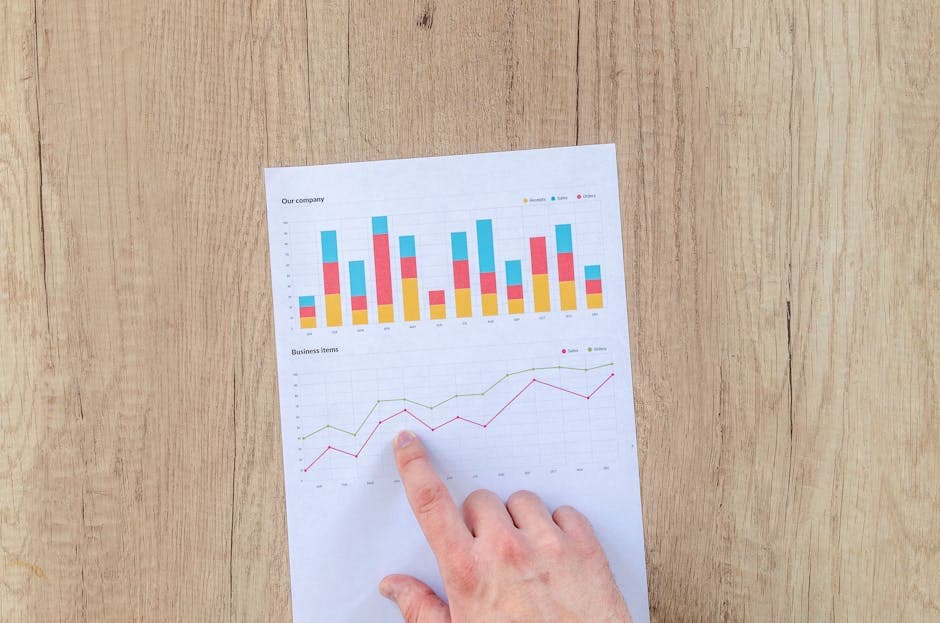
How to Calculate Your Wedding Venue's Marketing ROI
Stop guessing if your marketing works. Here's exactly how to calculate ROI for wedding venue advertising, with formulas and benchmarks.
Lead Generation / Venue Marketing
Wedding Venue CRM: How to Track Leads From Inquiry to Booking
A practical guide to building a wedding venue CRM workflow that tracks inquiries, tours, proposals, follow-up, revenue, and the marketing channels that actually book events.
Venue Marketing / Lead Generation
Wedding Venue Marketing Plan: 90 Days to More Tours
Build a practical 90-day wedding venue marketing plan that turns search, ads, social proof, follow-up, and CRM tracking into more qualified tours.